A new client should never have to ask “what now?”.
The problem
A working relationship starts in the details.
Documents sent in several batches, forgotten information, the same questions answered by email again and again: the first days with a new client take a lot of time and can leave an impression of disorder.
Sound familiar?
- 01You send the same explanations to every new client.
- 02There's always one document missing before you can start.
- 03Clients don't know where their file stands.
- 04Information is scattered across emails and files.
Our answer
A guided journey that feels like you.
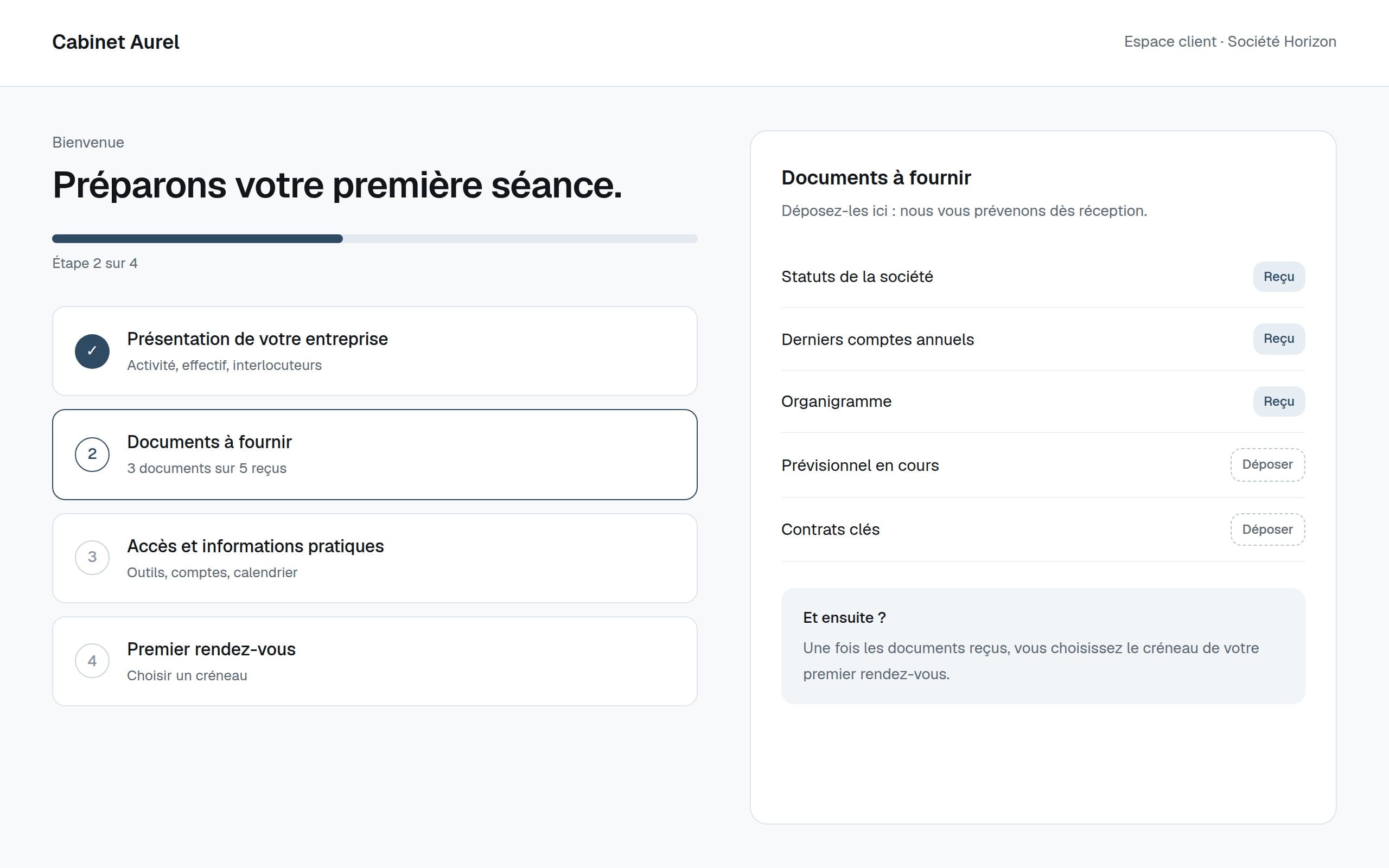
We turn your kick-off into a journey: a welcome screen, the steps to follow, the information and documents to provide, and what happens next. Depending on the need, it takes the form of a guided form, a dedicated page or a client area.
What it can include, depending on your project
- 01Guided welcome form
- 02Welcome screen and overview of the steps
- 03Kick-off checklist
- 04Document collection
- 05Instructions and next steps
- 06Client area, if needed
- 07Automated steps where they make sense
Who it's for
Examples, not limits.
These situations are examples. If your business isn't listed, that's exactly what we'll look at first.
Accountant, adviser
Collect documents before the first meeting.
Agency, studio
Gather content, access and approvals at kick-off.
Training, coaching
Welcome, inform and prepare for the first session.
How it works
How this kind of project runs.
- 01
Map
What happens today between signature and kick-off.
- 02
Simplify
The steps that matter, in the right order.
- 03
Design
The journey, its screens and its messages.
- 04
Launch
First clients supported, then adjustments.
What affects the quote
- Number of steps and documents
- Public page or secure client area
- Automations (emails, reminders)
- Connection to your existing tools
Priced on quote. Every project is scoped around your needs, your goals and the features required. The quote sets out what's included before you commit to anything.
FAQ
Frequently asked questions.
Can't find your question? Get in touch or email us at contact@amyn.agency.
Not always. A guided form and a clear page are often enough. A client area makes sense when clients need to come back and follow their file.
Storage and access are defined during scoping, according to the nature of the documents. Sensitive data needs specific precautions, which we set out before building anything.
Often paired with
- 02Request & quote trackingA simple board that shows, at any moment, which requests are waiting for a reply, a quote or a follow-up.Explore
- 03Mobile appAn iOS or Android app designed for one clear purpose: your customers, your team, your work in the field.Explore
- 01Website & redesignA professional website that loads fast, reads well on a phone and is built around what your customers actually come looking for.Explore